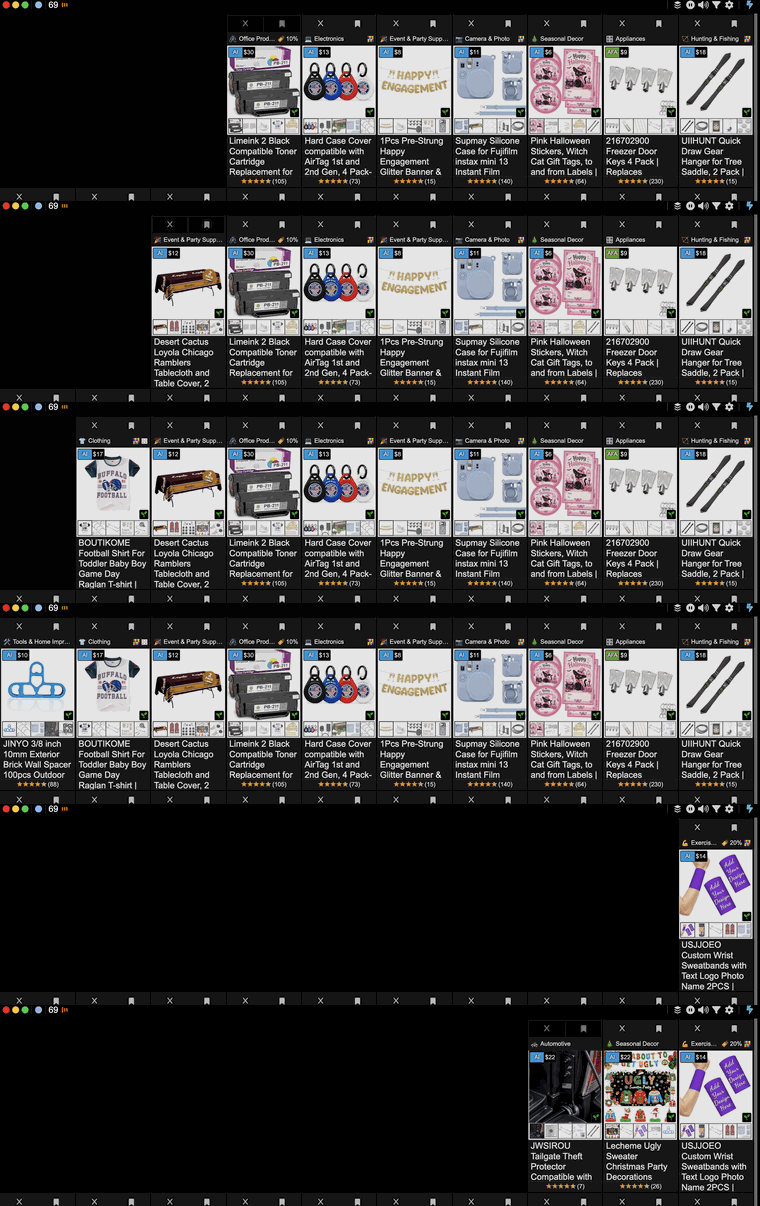
Alert queues receive products instantly, as soon as any Ultraviner user comes across a product that hasn't been seen before. You don't need to refresh anything. Alert queues need Turbo or higher.
¶ Where alerts come from
- Ultraviner users browsing and refreshing their queues, including the Hivemind.
- Discord: products shared to the Vine Voices Discord, with Alerts from Brenda on.
- Redrops: products that were available before and came back (marked ♻️), with Alerts from Redrops on.
Turn the sources on or off in Settings > Behavior > Alert Queue.
¶ Filtering, highlights and sounds
By default you receive all products, which can be a lot depending on your country. Create alert rules to choose which products reach your Alert queues, and to highlight them, play sounds or send a push notification.
You can have several Alert queues with different rules: give each queue a name, and use the Queue Name field in your rules.
¶ The alert buffer
When several products arrive at once, they're added one by one, with a short delay between them, so you can follow them. Products waiting to be shown are in the buffer: press Release Buffer on the queue's top bar to show them all right away.
¶ Settings
In Settings > Behavior > Alert Queue:
| Setting | What it does |
|---|---|
| Delay | Time between each product when several arrive at once |
| Dismiss Shortcut | An icon on each product to dismiss it |
| Page Quantity | Products per page |
| Number of Pages to Store | How many previous pages stay in memory for quick navigation |
| Pause When Mouse Moving | Holds new alerts while you move the mouse |
| Pause When Scrolled | Holds new alerts while the queue is scrolled, and resumes after a while without scrolling |
¶ Dismissing
Dismiss products you've seen from the context menu: one product, the page, the whole queue, every Alert queue, or only the products that are no longer available.